
Download Bus Fever Party
Bus Fever Party is a free download from Google Play on Android and from the App Store on iPhone and iPad. The game has no official Windows version and no official browser version, and the only safe source for the app is an official store.
Where to Get the Game
The Android version is on Google Play and the iPhone and iPad version is on the App Store. Both buttons above lead to the official listings. The game is made by Lumi Games, and on the App Store the seller is Faith Mobile Limited. The game reached Android on April 23, 2025 and iOS on June 13, 2025.
Once the app is installed, the walkthroughs start with the list of Bus Fever Party levels. If you have not played before, the home page explains the rules in a few minutes.
Game Facts
| Developer | Lumi Games |
|---|---|
| App Store seller | Faith Mobile Limited |
| Price | Free on both stores, with ads and in-app purchases |
| App Store version | 1.3.4, updated October 24, 2026 |
| Google Play update | October 22, 2026 |
| Size on iPhone | 459 MB |
| Requires | iOS 15.0 or later on iPhone and iPad; Android through Google Play |
| Age rating | 4+ on the App Store, Everyone on Google Play |
| Languages | English, French, German, Japanese, Korean, Chinese and Spanish |
| App Store rating | 4.7 out of 5 from 21,864 ratings |
| Google Play | 10M+ downloads, rating 4.1 from 57K reviews |
| Google Play package | gridplus.busjam.carpuzzle |
Free, With Purchases
Downloading is free. Inside the game you can buy coin packs, booster packs and bundles, and the stores list the prices below. Nothing in the list is needed to play, and some help, such as a VIP use or an extra waiting spot, can also be opened for a viewed ad.
| Purchase | Price |
|---|---|
| Beginner Bundle | $1.99 |
| Coin | $1.99 |
| All-In-One Pack | $3.99 |
| Boost Pack | $7.99 |
| Coin | $7.99 |
| Ad-Free Pass | $7.99 |
| Advanced Bundle | $9.99 |
| Ad-Free Bundle | $12.99 |
| Expert Bundle | $19.99 |
| Ultimate Bundle | $31.99 |
The two ad-free purchases are the answer to a common question about playing without ads. The Ad-Free Pass costs $7.99 and the Ad-Free Bundle costs $12.99. The game does show ads, and some of them are optional: VIP, for example, costs 80 coins or can be unlocked by watching an ad once you have no charges left.
Playing on a PC
There is no official Windows version of the game. It is a mobile app, so on a computer it runs only inside an Android emulator, which installs the same app from Google Play and lets you tap with a mouse. This works for casual play, but the game is built for a touch screen, and a phone or tablet is the simpler choice.
If you only want to see how a level is solved, there is nothing to install: every page in the level index has screenshots for each step and a video.
Playing Online in a Browser
There is no official browser version. A page that offers Bus Fever Party in a browser is either a different game with a similar name or a copy, and neither one is the game from Lumi Games. The only versions that count are the ones in Google Play and the App Store.
A Level on a Phone
This is an early level played on a phone from the first tap to the last bus, so you can see the screen layout before you install: the lot with buses, the row of waiting spots above it and the three booster buttons at the bottom.

APK Files and Mods
Take the game only from the official stores. Files from other sites, including APK copies and modded versions with unlimited coins, cannot be matched against the release in the store, do not update with the game and can carry software you did not ask for. An app installed from a store gets every update from the developer automatically.
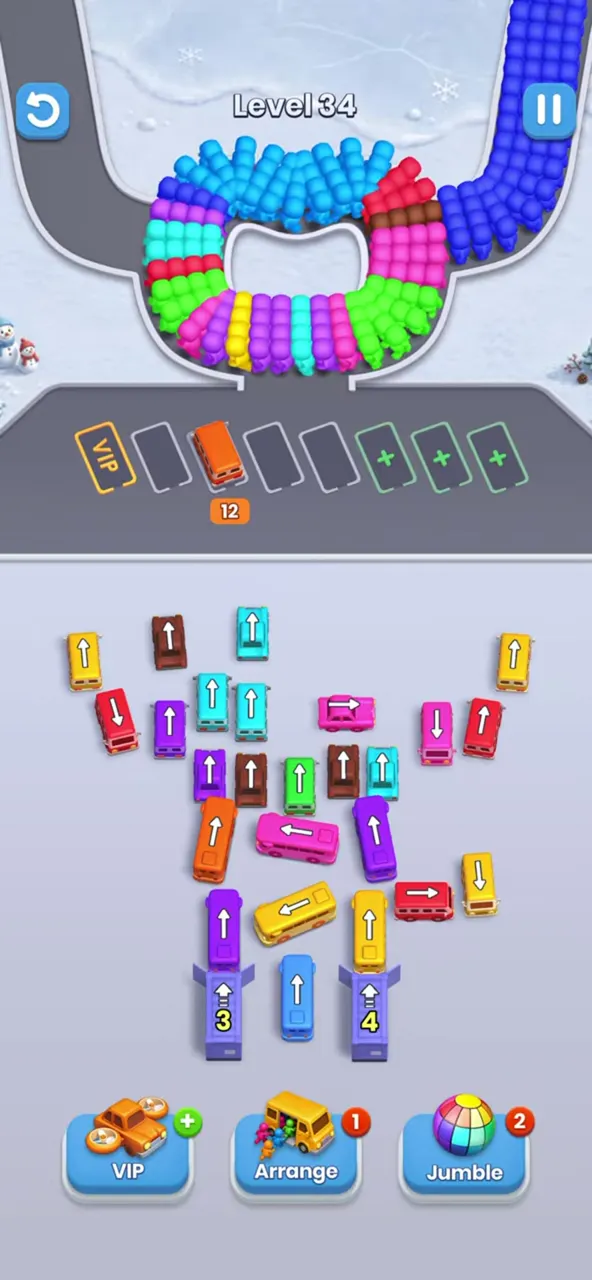
You also do not need a mod to move on from a hard level. Every walkthrough in the level guide works with the normal game, and for crowded lots start with level 26, level 34 or level 48.
Common Install Problems
Most install problems come from storage, the system version or the store account, and the fixes below cover them. For the full lists, open the official help pages: Google Play help for apps that will not download and Apple Support help for apps that will not download.
| Problem | Fix |
|---|---|
| The download stays on Pending or Waiting | Check that Wi-Fi or mobile data works, let any other downloads in the queue finish, then close and reopen the store app. If it still does not move, restart the phone. |
| The store says there is not enough storage | The iPhone version is 459 MB, and the update needs room on top of that. Delete apps or files you no longer use, or move photos to a backup, then try again. |
| The App Store says the app needs a newer iOS | The game requires iOS 15.0 or later. Update the system in Settings, General, Software Update. A device that cannot install that version cannot run the game. |
| The store asks you to sign in or reports a payment error | Sign in to your Google or Apple account again and check the payment method on file. Free downloads still need a valid account. |
| You cannot find the game in store search | Open the store through the buttons at the top of this page. In search, look for the exact title Bus Fever Party! and the developer name Lumi Games. |
| The update fails or restarts from zero | Close the store app, restart the phone and start the update again. If it keeps failing, remove the app and install it again from the same store. |
| The game installs but will not open or closes at the start | Restart the phone, install the latest system update and the latest version of the game, then open it again. A fresh install is the last step. |
Other Games With a Similar Name
Two other titles, Bus Traffic Fever and Bus Rush Fever, sound alike but are separate games, not versions of Bus Fever Party. The developer of Bus Fever Party is Lumi Games, and Faith Mobile Limited is the seller on the App Store. Some store pages show the game under the title Bus Fever: Car Jam Escape, and it is the same app.
Before you tap Install, check the developer name on the store page, and look at the first screen: Bus Fever Party starts with a lot of buses with white arrows, a row of waiting spots above it and a queue of passengers at the top. These guides cover only that game.
After You Install
Start from the Bus Fever Party walkthrough for the rules and the tips for new players. For a first level with no special elements, open level 15. When you reach lots with garages and dark buses, the level guide explains how each element works.
Frequently Asked Questions
Is Bus Fever Party free to download?
Yes, the game is free in both stores. It is supported by ads and sells optional purchases, and Google Play marks it as containing ads and in-app purchases. On the App Store the purchases are priced between $1.99 and $31.99, and nothing has to be bought to play.
How can I play Bus Fever Party without ads?
The stores list two purchases with ad-free in the name: Ad-Free Pass at $7.99 and Ad-Free Bundle at $12.99. Read the description on the store page before buying to see what each one includes. Ads in the game also appear as an option, for example a free use of the VIP booster in exchange for watching one.
Can I play Bus Fever Party on a PC?
There is no official Windows version. The game is a mobile app, and the usual way to run it on a computer is an Android emulator that installs the same app from Google Play. For most players a phone or tablet is simpler, because the game is built around tapping buses.
Is there a browser version of Bus Fever Party?
No, there is no official version that runs in a browser. Pages that offer to play it online are either other games with a similar name or copies, so install the app from Google Play or the App Store instead. To see how a level plays without installing anything, watch the video on a level page.
Is it safe to download an APK or a mod?
Install the game only from Google Play or the App Store. A file from another site cannot be checked against the official release, may carry unwanted software and does not update with the game. Modded versions that promise unlimited coins or boosters are copies of this kind, and the real game does not need them.
Which phones can run Bus Fever Party?
On iPhone and iPad the game requires iOS 15.0 or later and takes 459 MB. On Android it installs from Google Play, which tells you if your device is supported. The game is rated 4+ on the App Store and Everyone on Google Play, and it has 7 interface languages.
Read next
Continue with the levels with solutions, the Bus Fever Party home page or the about page.