Puzzle · Lumi Games · 2025
Bus Fever Party Walkthrough and Tips

Bus Fever Party is a puzzle about tapping buses out of a crowded parking lot so that waiting passengers can board. This guide explains the rules, the boosters and the waiting spots, and solves 32 levels with screenshots and a video. Some stores list the game as Bus Fever: Car Jam Escape.
- Developer
- Lumi Games
- Platforms
- Android, iPhone and iPad
- Price
- Free, with ads and in-app purchases
- Age rating
- 4+ on the App Store, Everyone on Google Play
- Released
- Android in April 2025, iOS in June 2025
- Current version
- 1.3.4 on the App Store
Bus Fever Party is solved by order, not by speed: tap the buses that can leave, park the color the queue needs next and keep one waiting spot free. This page covers the rules, the boosters, tips for new players and where to download. For one specific level, open the list of Bus Fever Party levels and pick its number.
What Is Bus Fever Party
Bus Fever Party! is a free puzzle game for Android and iPhone from Lumi Games. A parking lot is packed with buses of different lengths, and each one has a white arrow along its body. You tap a bus, it drives out along its arrow and parks in a waiting spot above the lot, and passengers of the same color board it from a queue at the top of the screen. When all passengers have boarded, the bus drives away and the spot frees up.
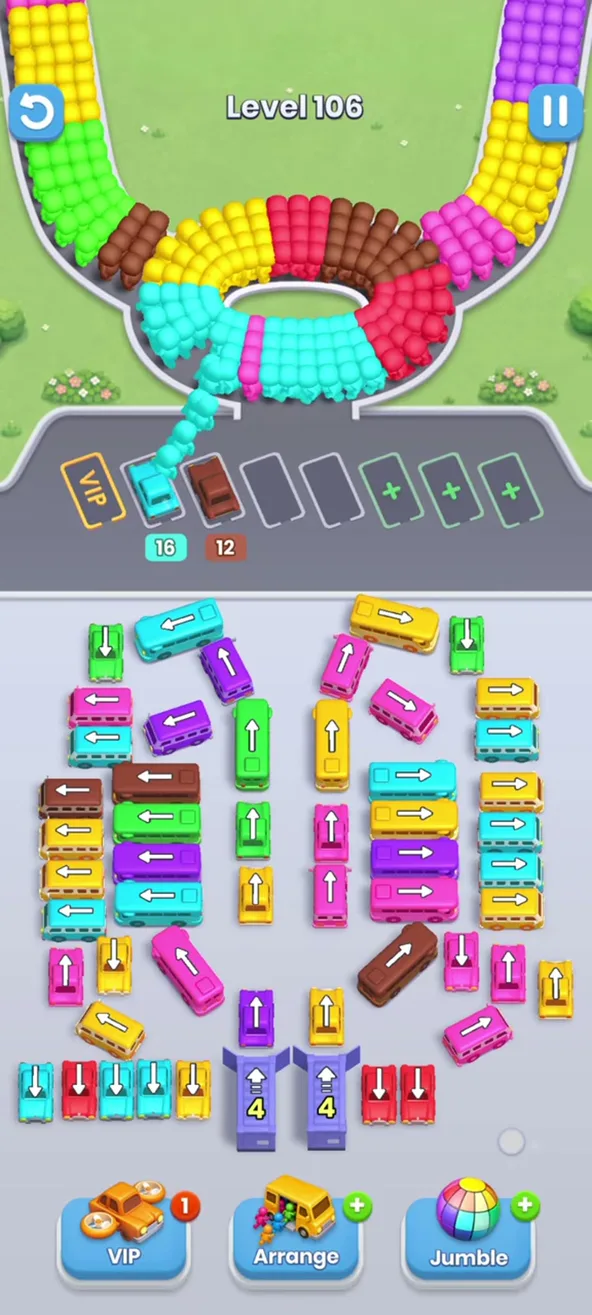
The puzzle is the order of taps. A bus can leave only if the road in front of its arrow is free, and the waiting row has a handful of spots, so every tap spends one of them. The aim is to get every bus off the lot before the row jams. Later levels add purple garages, dark buses with a question mark and, on some level numbers, two different layouts.
The rules fit in one paragraph, and the difficulty comes from crowded lots, where one wrong tap can lock the row. If you are new, the next sections show the whole game in a few minutes, and the level guide shows how each special element works.
How to Play
Every level follows the same loop, and five habits cover most of it.
- Look at the queue at the top first. The passenger at the head boards a parked bus of the same color.
- Tap a bus whose arrow points into open space. If another bus stands in the way, it cannot leave.
- Watch the number under a parked bus. It counts the passengers still to board, and at zero the bus leaves.
- Keep one grey spot free. Every tap parks a bus, and a spot returns only when the bus in it is full.
- Leave garages for the end. Their buses roll out one at a time and take free spots.
The waiting row is the whole resource. The orange VIP spot is on the left, grey spots are in the middle and green spots with a plus are extra spots on the right. The levels page explains each part of the lot in detail, with the levels where it appears.
Boosters
Three buttons sit at the bottom of the screen: VIP, Arrange and Jumble. A badge with a number shows your charges, and a green plus means none left. VIP sends a bus you choose to the VIP spot, and with no charges the game offers one use for 80 coins or free for a viewed ad. Arrange and Jumble have badges of their own.
Two windows ask for coins or an ad as well. Out of Spots appears when every spot is full and offers to clear all parked buses and unlock one extra spot, with a Restart link beside it. Extra Spot unlocks one more green spot. A booster is help for a stuck lot, not part of the plan for a fresh one.
First Levels in Motion
The video follows the first levels of the game, so you can see a lot being cleared, the waiting row filling and emptying and the queue moving at the top. Colors on your screen may differ from the video, and the order of taps still works.

Hard Levels
Some lots need a plan from the first tap. These are the ones to open first if you are stuck:
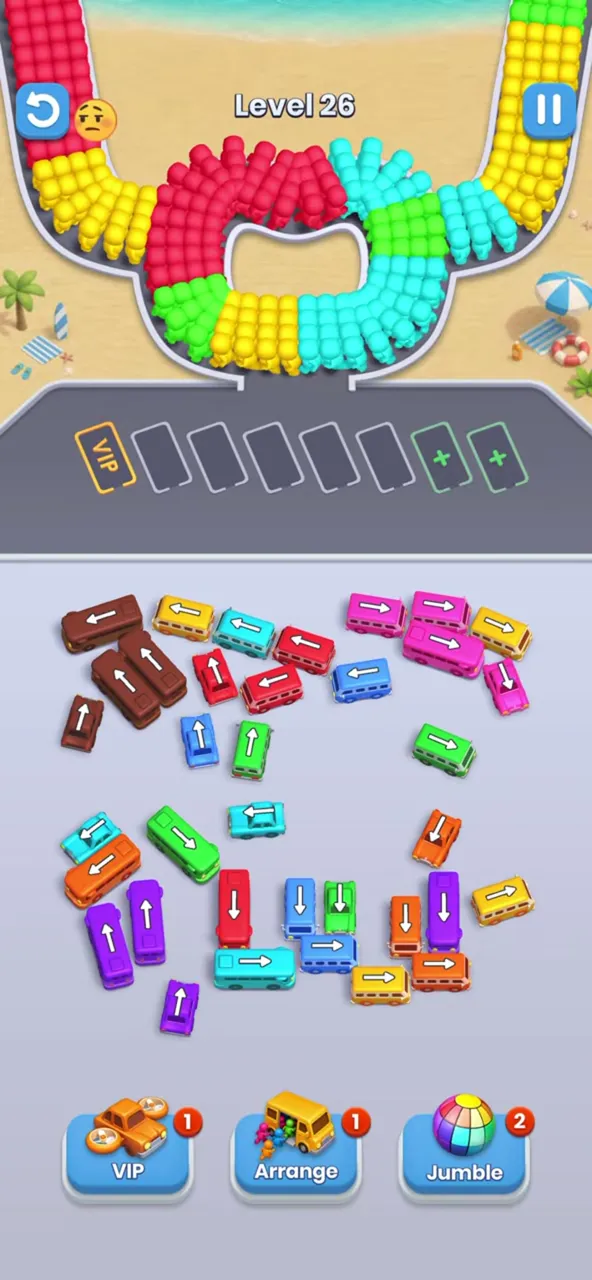
- Level 26 comes in two layouts: an open lot, or a lot with four garages and dark buses.
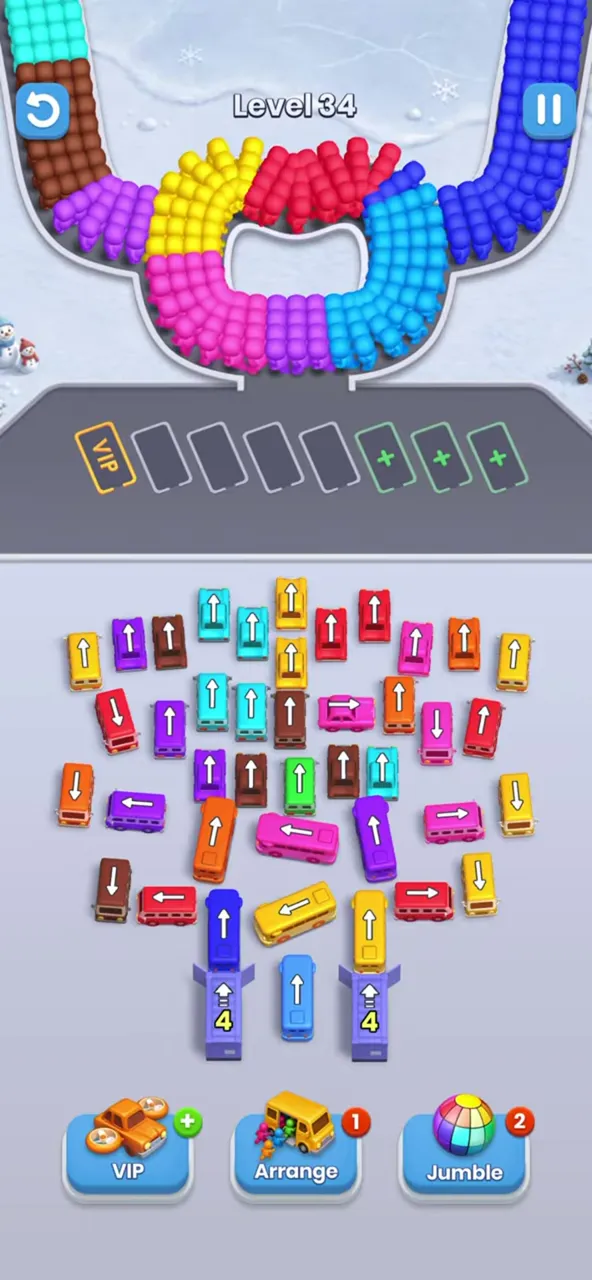
- Level 34 has about 40 buses in a fan above two garages.
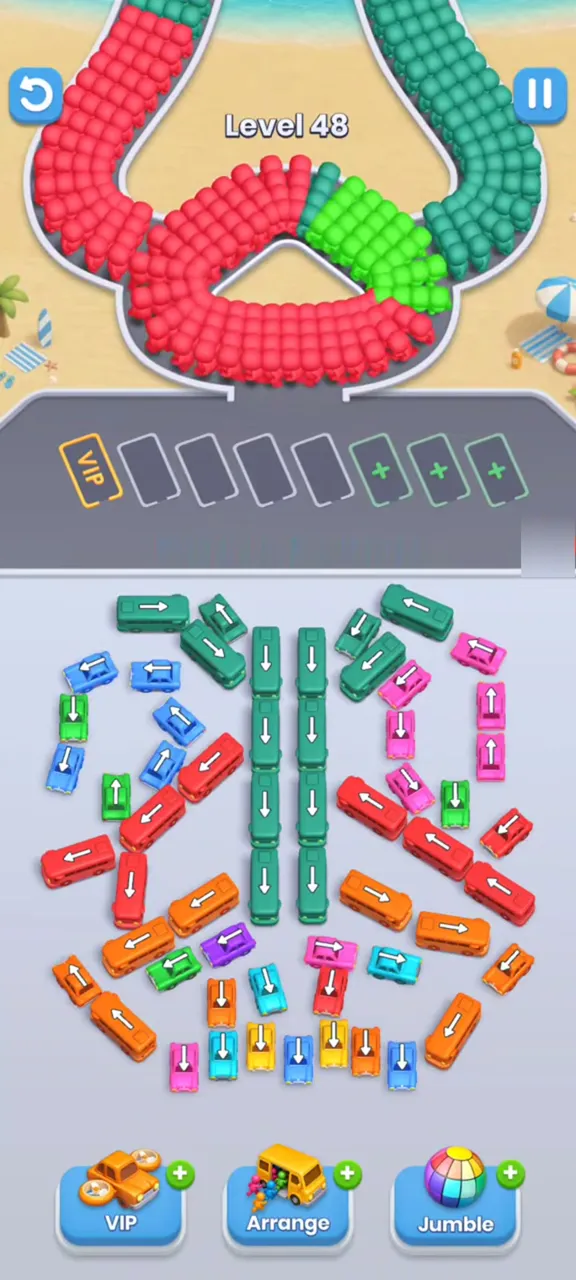
- Level 48 has a column of long buses that carry 16 and 40 passengers.
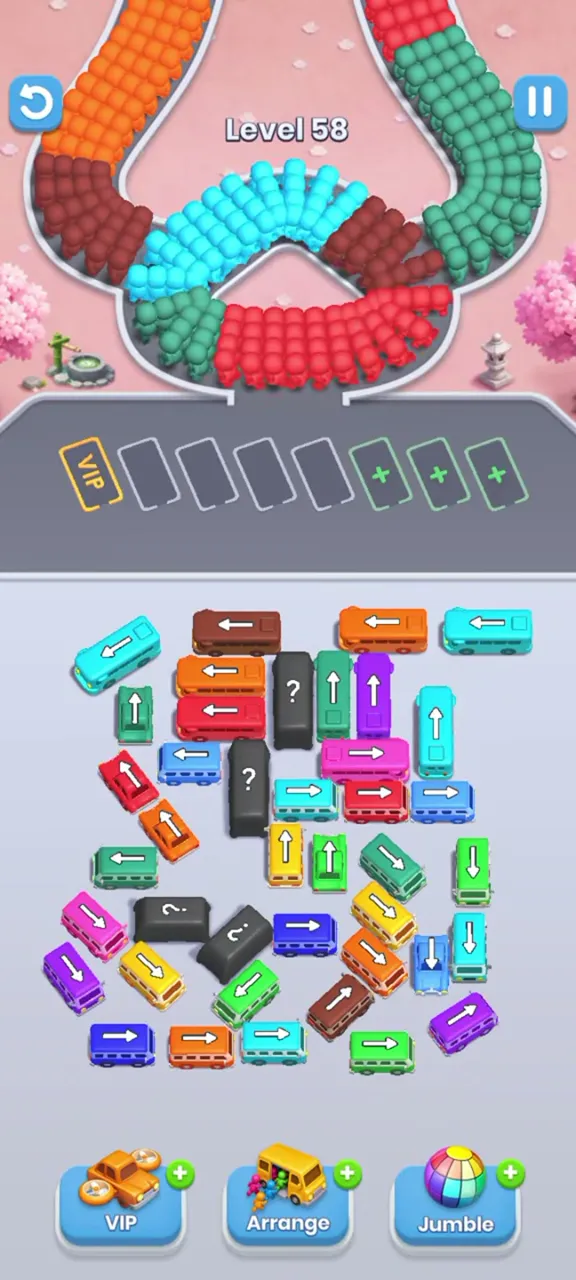
- Level 58 has nine colors and four dark buses.
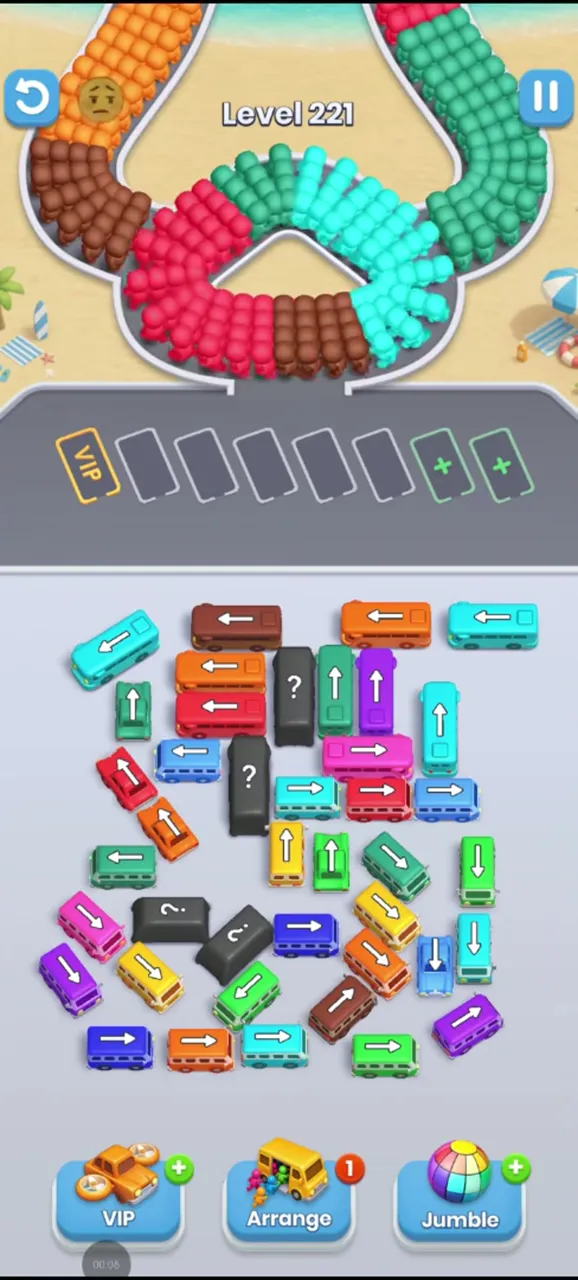
- Level 221 has four dark buses and five grey spots.
All 32 levels are in the index of levels with solutions, and each card shows what stands out on the lot.
Tips for New Players
- Read a solution by position, not by color. Colors are shuffled between runs, so the walkthroughs here talk about the top rows, the center and the garages.
- Check the head of the queue before each tap, and ask whether the bus you are about to park will start filling soon.
- Clear what covers a long bus before you tap it, and tap it when its color is at the front. Long buses hold their spot for many passengers.
- Open the approach to each dark bus early, so it can leave when its color is needed.
- Try a restart with a better order before you pay for anything.
What Players Think
Ratings are high on the App Store, at 4.7 out of 5 from 21,864 ratings, and lower on Google Play, where the game has a rating of 4.1 from 57K reviews and 10M+ downloads. The same two things come up again and again in reviews. One is the ads after levels. The other is that some levels feel impossible without boosters or ad views.
The second complaint is the reason this site exists. Every level on this site has a worked-out order of taps, and following it is faster with a screenshot of each step than with trial and error. Start from the levels page, and for the ads question see the purchases listed on the download page.
Bus Fever Party and Bus Traffic Fever
Bus Traffic Fever and Bus Rush Fever are other games with similar names. They are not versions of Bus Fever Party, and nothing on this site applies to them. Bus Fever Party is made by Lumi Games, and the seller on the App Store is Faith Mobile Limited.
To be sure you have the right game, check three things on the store page: the title Bus Fever Party!, the developer name Lumi Games and the screenshots with buses that carry white arrows above a row of waiting spots.
Where to Download
The game is on Google Play for Android and on the App Store for iPhone and iPad, free to install. The Bus Fever Party download page has the version, the size, the purchases and the install fixes, and it also answers the questions about PC, browser play and ad-free play.
Frequently Asked Questions
What is Bus Fever Party?
Bus Fever Party is a free puzzle game from Lumi Games for Android and iPhone. A parking lot is packed with buses, and you tap them out one by one into a row of waiting spots, where passengers of the same color board them. A level ends when all the buses have left the lot.
How do you play Bus Fever Party?
Tap a bus whose white arrow points into open space and it parks in a free waiting spot above the lot. Passengers at the head of the queue board a parked bus of their color, and a bus with no passengers left drives away and frees its spot. Park the colors the queue needs, and keep one grey spot free.
How many levels does Bus Fever Party have?
Players move through hundreds of levels, so there is no short final number. This site walks through 32 of them in full, from level 15 to level 259, with step-by-step screenshots and a video for each. The list of all of them is on the levels page.
Is Bus Fever Party free?
Yes, it is free on Google Play and on the App Store. The game shows ads and sells optional purchases, from $1.99 to $31.99 on the App Store. Two of them have ad-free in the name, the Ad-Free Pass and the Ad-Free Bundle. The download page lists all prices.
What is the difference between Bus Fever Party and Bus Traffic Fever?
They are different games with similar names. Bus Fever Party is made by Lumi Games, and the seller on the App Store is Faith Mobile Limited. Bus Traffic Fever and Bus Rush Fever are other games, and the guides on this site are written only for Bus Fever Party.
Why can I not pass a level in Bus Fever Party?
Most stuck runs end with each grey spot occupied by a bus whose passengers are not due yet, so nothing boards and nothing leaves. Look at the front of the queue before each tap, and keep one grey spot free. If the row is already full, a restart with a better tap order is usually the cheaper fix.
What do the boosters VIP, Arrange and Jumble do?
VIP sends a bus you choose to the VIP spot at the left of the waiting row. With no charges left it is offered for 80 coins or free for a viewed ad. Arrange and Jumble are the other two buttons at the bottom of the screen, each with its own badge.
Do bus colors differ from player to player?
Yes. Colors of buses and passengers are shuffled between runs, while the layout and arrows stay the same. That is why the walkthroughs here describe taps by position and not by color, and their order works with any color set on your screen.
On This Site
All levels with solutions
32 levels with screenshots, a video and the rules of every special element.
Download
Stores, version, purchases, PC, no ads and install fixes.
Questions about the site itself are answered on the about page.